Search This Blog

Showing posts with label Symbaloo. Show all posts

Sunday, November 29, 2015

"November Technology Blessings" - ACSD Symbaloo, Google Photos, Plickers, TLC Tools, and Zooburst

The month of November has been filled with many "technology blessings".


SYMBALOO
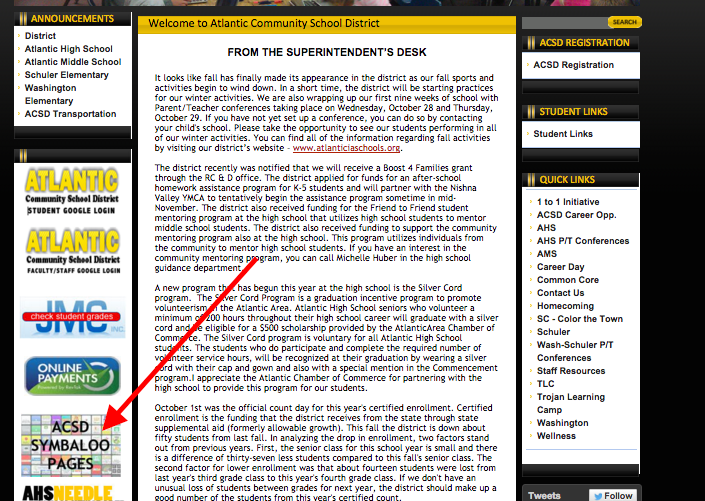
There is a new shortcut for the Symbaloo Pages on the ACSD District Website (see image below).  
Students and Parents NOW have quick access from home.
Screen Shot 2015-11-02 at 3.01.51 PM.png


GOOGLE PHOTOS

Do you need a great place to store your most prized possessions?  Google Photos is a great way “Backup” or Edit Google Photos.


PLICKERS
You may vaguely remember the Plicker activity during August’s inservice.  Do you remember waving a piece a paper in the air??  Yup - that is a Plicker card! It’s a fun way for students to respond with no student device needed.  

Image Source: www.plickers.com
Plickers is a powerful simple tool that lets teachers collect real-time formative assessment data.

Each media center now has a set of 40 laminated Plicker Cards available to check out. You may also create your own set, but this is a great way to get started and test it out without all the mess.  

TLC Lead team has shared some really good tools that I would love to share.
Check out Zaption and GoFormative.
  • Zaption ~Turns online videos into interactive learning experiences that engage students and deepen understanding.
  • GoFormative - GoFormative runs on any internet connected device and is optimized for any 1:1, flipped, or blended classroom.  This is a great replacement of the website Infused Learning.

Special Announcement -- Zooburst is back with 30 licenses until August 2016.  Take advantage of this opportunity!

ZooBurst is a digital storytelling tool that lets anyone easily create his or her own 3D pop-up books. Using ZooBurst, storytellers of any age can create their own rich worlds in which their stories can come to life.

Click HERE to view a Zooburst sample by a 2nd Grade student.

By: Jessica Fincel
@jfincel32


Friday, October 31, 2014

About time..... Hey Guess What? Technology is always changing?

BOO!!! HAPPY HALLOWEEN!!


Hey....Guess what?
Technology is constantly changing!!! This is one of the many reasons why I personally love technology.

One of the best new features that has arrived this first quarter is "GOOGLE CLASSROOM". As you all already know, I love Google, but this is definitely one of the best tools for education besides Google Docs that can be utilized easily. Seriously, check it out! It only takes about 10 minutes to set up.


Google Classroom


Google Classroom Updates - October 2014


New Look for Google Drive


Remember I told you technology is constantly changing....Drive has changed 3 times since I have started this job. Change, Change, Change.... Adapt, Adapt, Adapt.... Learn, Learn, Learn


Reminder to AMS, Schuler and Washington Staff - Great Project Tools


  • Glogster (online poster)
  • Zooburst (3D Digital Book)
  • Brain Pop and Brain Pop Jr (Resource, Game and Quizzes)

If you are interested in using these in your classroom, complete a tech request, and I will make sure accounts are set up for your class.


Symbaloo

Did you know each building has a symbaloo page? Check out www.atlanticiaschools.org, then Student Links and your  building symbaloo page.


Attn ACSD Staff -- Answer the the following joke, a treat might arrive in your mailbox next week.  


Joke: What kind of music does a mummy like?


HAPPY HALLOWEEN!!!


By: Jessica FincelTwitter: @jfincel32