Search This Blog

Wednesday, March 16, 2016

Happy Saint Patrick's Day -- "Lucky Search Tips and Tools"


Many ACSD students are working on research papers, presentations, and projects this spring. Do you need help to provide credible, safe, and easy resources for your students' projects? The resources listed below will do all that and much more!


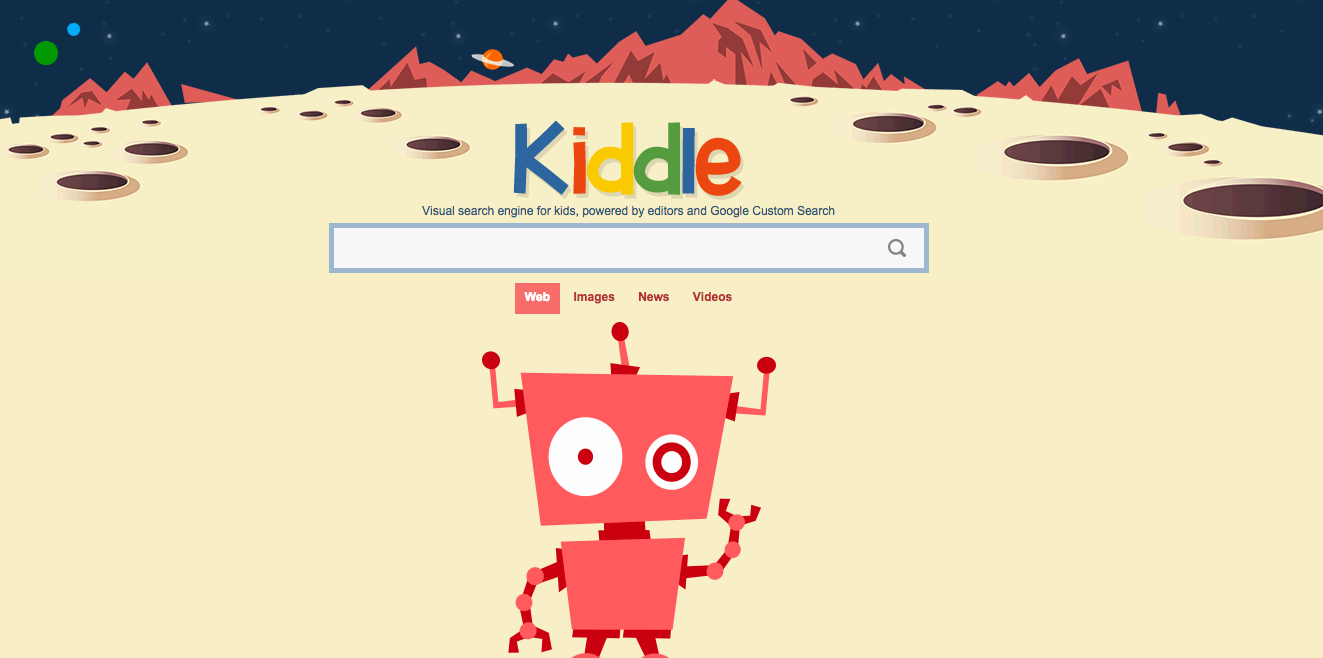
Kiddle

Screen Shot 2016-03-15 at 7.23.37 PM.png
Kiddle is a visual search for kids powered by Editors and Google Custom Search. You will find a Kiddle tile on the Washington, Schuler, and AMS Symbaloo Pages. Thank you for sharing @hemno1.


Google Scholar 

Google Scholar is an online search database (search articles, theses, books, abstracts and court opinions).

Click HERE for more information and features about what Google Scholar has to offer.


Use search operators and advanced Google Search to find quality resources. These shortcuts will help you limit your search results.  


Click HERE (sharing permission only ACSD employees) to view PDFs/Handouts on Iowa Area Online Tools and NetTrekker. Janice and Ginger will be more than happy to help you out with these tools.


Washington Staff don't forget about the facts4me website. 


#ACSDTECH

By: Jessica Fincel


Tuesday, February 16, 2016

Reach Out to Parents Challenge

As you are working P/T Conferences, please take a little time to reflect on how important it is to engage in effective communication with parents.   There are many technology tools that are at your fingertips to help facilitate communication with parents.


We have a challenge for you...and it comes with REWARDS!


We are calling this the “Reach Out to Parents Challenge” (clever right?)


What is the Reach Out to Parents Challenge?

  • The challenge will start on Monday, February 22nd and go until Thursday, March 17th.
  • The goal is to use any and/or all types of technology tools to communicate more effectively with parents.  
  • Educators, please keep track of ALL of your communication on this FORM (short and sweet -- 3 question form). Automated emails from sources such as Shutterfly still count, just make sure you log it.
  • For every form you fill out, your name will be placed in the drawing for a chance to win.  
  • So….the more form submissions you have the better chance you have of winning the prizes!


Possible prizes will include Chamber Bucks, Subway Card, and much more. There has been many donors that have contributed to this cause! It will be worth your time in so many ways!


Below are some great resources for you.  


  1. JMC, JMC, JMC, JMC
    1. ****PLEASE**** Watch this tutorial over the 2 best ways to communicate through JMC.
    2. Parent Portal Handouts for each building -- Alert Configuration
    3. How to Send Email from JMC -- Written Instructions
  2. Remind (formerly known as Remind 101)
    1. Watch this video (53 secs) to see a demo of what Remind is
    1. Watch this video (1 min 38 secs ) to see a demo of Class Dojo

Looking for ideas on what parents may want to know, here are some things to consider (The first 2 are REALLY IMPORTANT):


  • Send an individual email to a parent and/or student - do this everyday or even just once a week until the end of year.  Personalize that individual email and fill it with POSITIVES.  Can you imagine the impact that would make in the last 70 days of school?  When was the last time you received a positive email individually and how did it make feel?
  • Reminder of upcoming chapter tests and big assignments (this is a BIG one, parents do WANT to know)
  • What’s going on in your classroom (Do you have a classroom Newsletter?)
  • Informing parents that you use Google Classroom and share this resource with them.
  • Do you have or use a Google Classroom Calendar? (Click HERE to learn how to add your Google Classroom Calendar to your Google Site).
  • Remind parents where you post your assignments
  • Share your website again…(they might need a reminder that you have one).
  • Upcoming field trip expectations
  • Parent Portal information and remind them to sign up for Alert Configuration through JMC
  • Reminders of items students need to bring (ex. show and tell items, hats and gloves if the weather changes yet again, treats/munchies, etc.)
  • Reminders of upcoming or current Reading Challenges
  • Iowa Assessment Schedule and test preparation
#ACSDTECH

By: Jessica Fincel

Friday, January 22, 2016

ABC Mouse..... Free for Educators

Screen Shot 2016-01-13 at 11.49.19 AM.pngI always go back to my favorite saying, “the best resource is each of you.” There are two special (JK) teachers (not to name names) that challenged me to learn more about an opportunity for educators. They directed me to find out more about ABC mouse. It is designed for lower elementary students (ages 2-7). 
ABC Mouse is a full online curriculum resource. -- And did I forget to mention?  IT IS FREE!! You will find the following document in your Wash Tech Training Folder; however, the detailed instructions and tutorials are listed below.


You will have to sign up individually on the link below.

FAQ

(Special Note: These Youtube videos permissions are set only for inside the ACSD District).
How do I register and add students?


How do you Create a Class and Add Students to my Class?

How do I use ABC Mouse on the Computer Labs?
Complete a tech Request and Accept Invite  **MUST WATCH** (2 Min 12 sec)


How do I have my students use ABC Mouse at home?
How Students Set up use at Home  **MUST WATCH** (1 Min Sec 56)


How do I set up my IOS Device and My Computers in my Classroom?


What are some tips and Tricks?

Thursday, January 21, 2016

Flippity Floppity Boo --- I mean Flippity.net...

As we are now in the heart of 3rd Quarter, there are many reviews and assessments taking place or about to take place.  You might be wanting a new type of exit ticket or a creative way to formatively assess your students. I might have just the thing you need...keep reading!   
Flippity...I love it!!  Easy to use, it’s free, and it works with Google Docs...
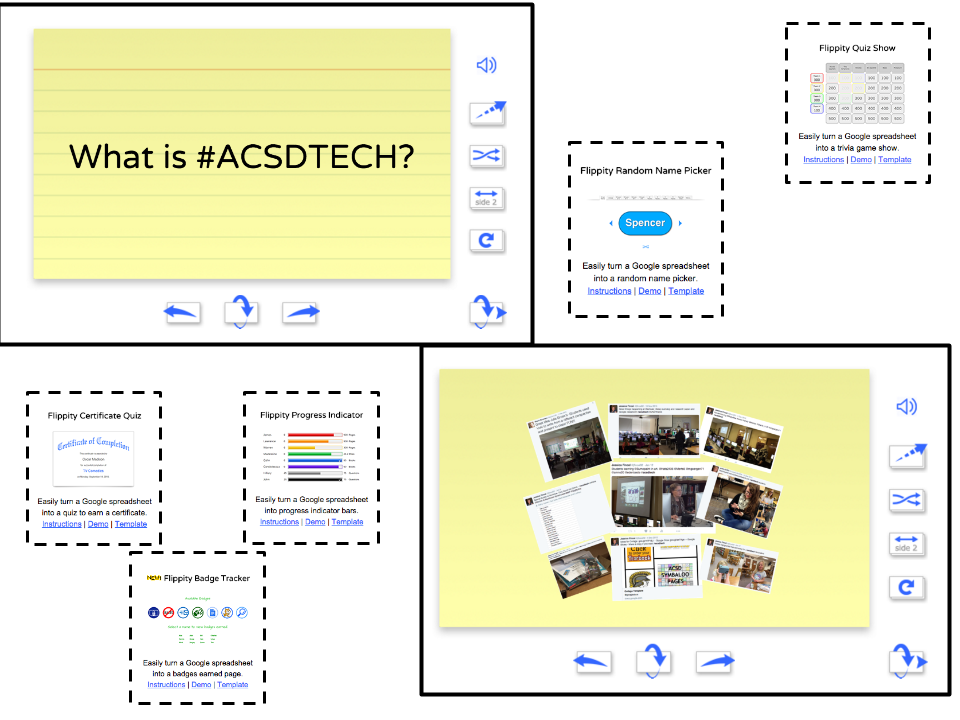
There are many Schuler teachers (but it’s great for all levels) that use this program... ask them what they think.  Get a jump start and use it for your 3rd and 4th Quarter Study guides in your Google Drive.  The best part about this website is they keep adding more tools: Quiz Certificate, Badge Tracker, Progress Indicator, Random Picker, Quiz Show (like Jeopardy).  

Flippity Flashcards.png


Here’s a few more of my favorites!


GoFormative - GoFormative runs on any internet connected device and is optimized for any 1:1, flipped, or blended classroom.  This is a great replacement of the website Infused Learning. (November 2015 Blog) - Great Find Katie =-)

A great website to create a quiz, survey, or discussion. It’s a game-based classroom response system. (March 2015 Blog)

There are many tools posted on the #acsdtech Website. Click HERE to go directly to the Formative Assessment Webpage.   
--------------------------------------------------------------------------------------------------------------
Special Announcements...
  • Great Job Washington and Schuler on the Sumdog Snowflake Math Showdown Challenge. 
  • Thank you to the following for taking the time to saving the #acsdtech website from the Grinch. Thank you.... (December 2015 Blog) They received a small token of my appreciation....... Matt A., Ginger B., Brielle C.,  MaryBeth  F.,  Jennifer G., June H ., Tonna H., Terry H., Meryl H., Paulette H., Paul I., Cathy K., Cathy L., Jessica L., Amber M., Jennifer R., Amy R., Taylor W., & Tony W.

Below is the ANSWER to what is #ACSDTECH.... 

KEEP UP THE GOOD WORK!!!


#ACSDTECH

By: Jessica Fincel


Tuesday, December 22, 2015

Don't be a Grinch! Help me stop the Grinch!!

During this time year it can be a challenge NOT to be a Grinch. Believe me, I know...
So, here is a little Christmas cheer.  Please stop the Grinch from stealing Christmas or, in this case, from stealing the ACSDTECH website.

As I stop and reflect on the tech changes from last year, I recall working hard updating the ACSDTECH website last December. Unfortunately this December, time did not allow me to do so as my family has been my top priority. I did, however, keep my New Year’s Resolutions from last year.   

My resolutions last year were to post once a month on ACSDBLOG  (during the school year), and to do a better job updating the ACSDTECH website throughout the year. I wanted to send a friendly reminder that both the ACSDBLOG and ACSDTECH website are valuable resources. Enjoy the following activity!

This activity is in the hopes that you navigate through the  #ACSDTECH WEBSITE and see what it has to offer. Don’t be a Grinch!

Activity:
The Grinch is hiding 6 times throughout the website.  Can you find him?  Click on the form below to complete the activity.   


Here are the top posts from the last year. Check them out again or for the first time!

November Technology Blessings - ACSD Symbaloo, Google Photos, Plickers, TLC Tools, and Zooburst


Parents NOW can view assignments from Google Classroom, OSMO HERE, and Lunch with Tech..what more could you ask for?


Time, Time, Time.....and Need More Time


No More 3 Ring Binder -- Online Portfolio


#ACSDTECH
#HAPPYHOLIDAYS

By: Jessica Fincel

Sunday, November 29, 2015

"November Technology Blessings" - ACSD Symbaloo, Google Photos, Plickers, TLC Tools, and Zooburst

The month of November has been filled with many "technology blessings".


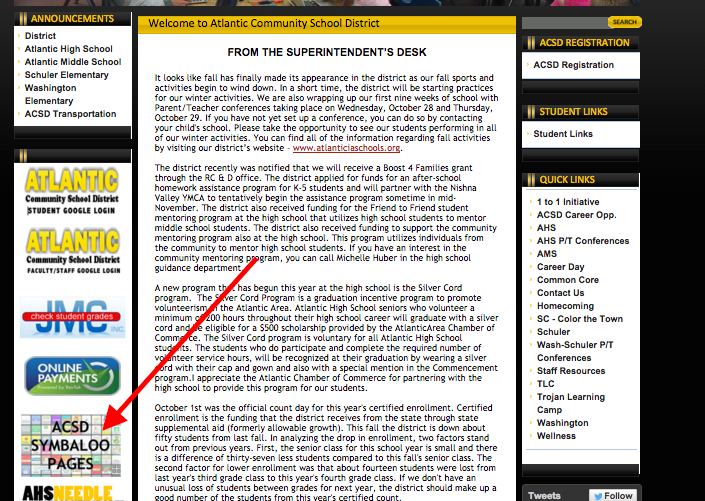
SYMBALOO
There is a new shortcut for the Symbaloo Pages on the ACSD District Website (see image below).  
Students and Parents NOW have quick access from home.

Screen Shot 2015-11-02 at 3.01.51 PM.png


GOOGLE PHOTOS

Do you need a great place to store your most prized possessions?  Google Photos is a great way “Backup” or Edit Google Photos.


PLICKERS
You may vaguely remember the Plicker activity during August’s inservice.  Do you remember waving a piece a paper in the air??  Yup - that is a Plicker card! It’s a fun way for students to respond with no student device needed.  

Image Source: www.plickers.com
Plickers is a powerful simple tool that lets teachers collect real-time formative assessment data.

Each media center now has a set of 40 laminated Plicker Cards available to check out. You may also create your own set, but this is a great way to get started and test it out without all the mess.  

TLC Lead team has shared some really good tools that I would love to share.
Check out Zaption and GoFormative.
  • Zaption ~Turns online videos into interactive learning experiences that engage students and deepen understanding.
  • GoFormative - GoFormative runs on any internet connected device and is optimized for any 1:1, flipped, or blended classroom.  This is a great replacement of the website Infused Learning.

Special Announcement -- Zooburst is back with 30 licenses until August 2016.  Take advantage of this opportunity!

ZooBurst is a digital storytelling tool that lets anyone easily create his or her own 3D pop-up books. Using ZooBurst, storytellers of any age can create their own rich worlds in which their stories can come to life.

Click HERE to view a Zooburst sample by a 2nd Grade student.

By: Jessica Fincel
@jfincel32